
1. Download Splashtop SOS
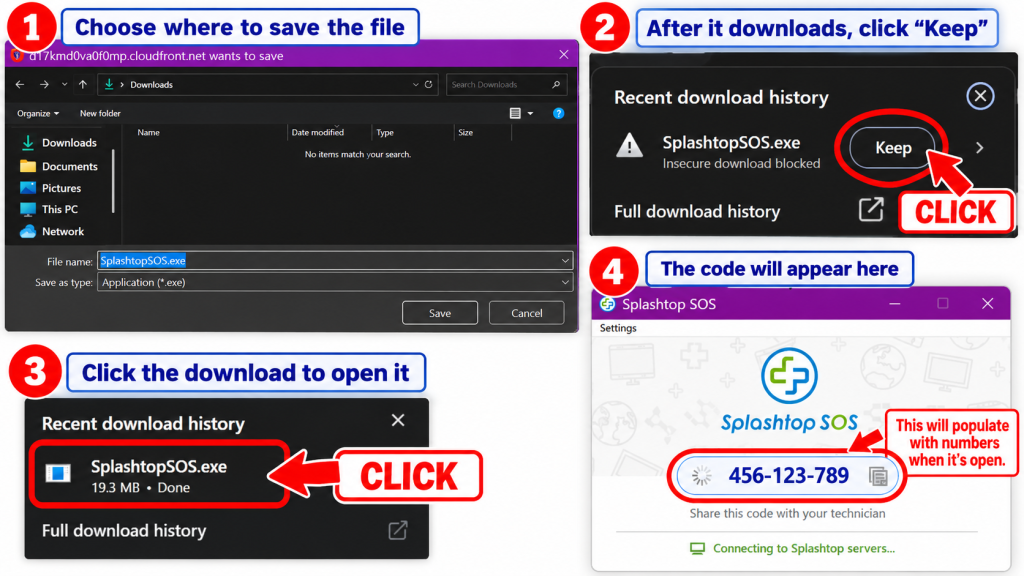
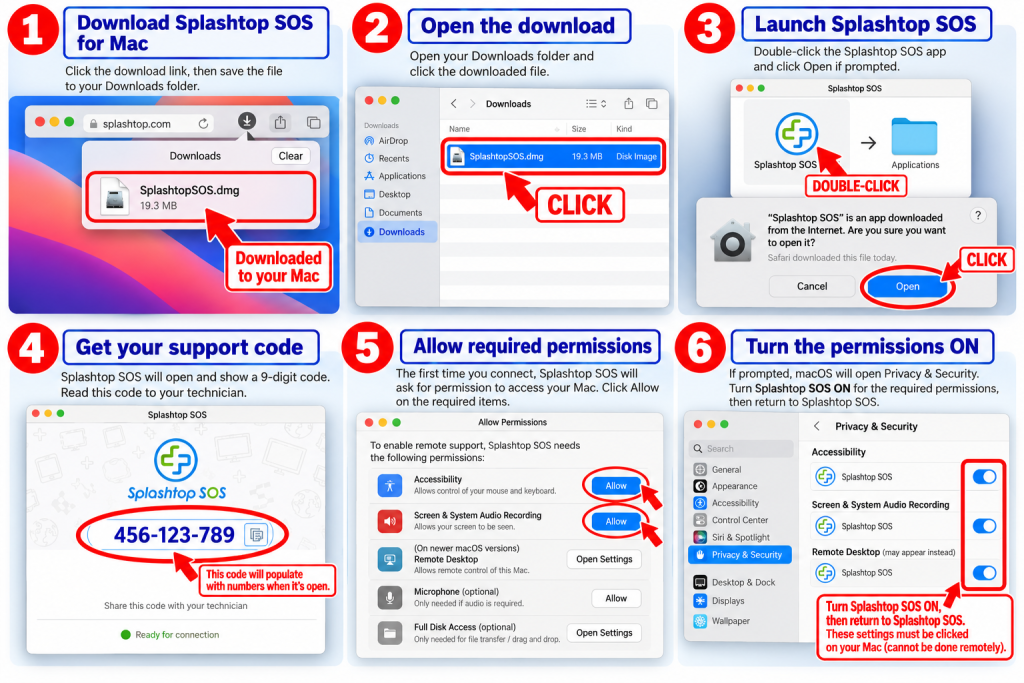
Click the download button for your OS above and save the Splashtop SOS installer to your computer.
2. Install & Open the App
Open the downloaded file and follow the prompts to install Splashtop SOS. Once installed, open the program.
3. Give Us Your Support Code
Splashtop SOS will display a temporary access code. Give that code to IT Works so we can securely connect to your computer and assist you.

We use necessary cookies to keep the site secure and optional Google Analytics cookies to understand website traffic. You can accept, reject, or manage your preferences at any time.
Manage your cookie preferences below:
Essential cookies enable basic functions and are necessary for the proper function of the website.
These cookies are needed for adding comments on this website.
Statistics cookies collect information anonymously. This information helps us understand how visitors use our website.
Google Analytics is a powerful tool that tracks and analyzes website traffic for informed marketing decisions.
Service URL: policies.google.com (opens in a new window)
Full details of our Privacy & Cookie Policy: